The AAC codec outputs Advanced Audio Coding (AAC) audio data for DirectShow applications. AAC is one of the most widely used lossy audio compression formats. It succeeded the MP3 format and can provide better audio quality at comparable bitrates.
However, AAC is a proprietary format, and commercial use may require a license. Therefore, review the applicable licensing terms before you include an AAC codec in a commercial product. You can find more detailed information about the format here: Advanced Audio Coding.
The filter is based on the CTransformFilter class and uses the libfaac library, also known as the Freeware Advanced Audio Coder library, to compress audio. As a result, the filter can convert uncompressed PCM audio into a compressed AAC stream inside a DirectShow graph.
Both 32-bit and 64-bit versions of the AAC codec are available. You can use the filter with capture, conversion, streaming, and other multimedia applications that require AAC audio output.
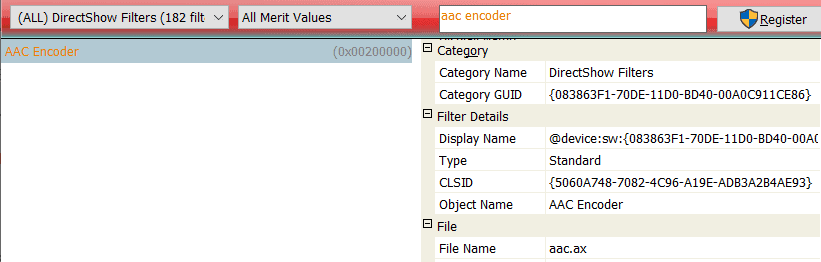
Input format
The AAC codec accepts a 16-bit PCM audio stream as input. It supports standard DirectShow audio media types and can process streams with one to eight channels.
| majortype | MEDIATYPE_Audio |
| subtype | MEDIASUBTYPE_PCM |
| formattype | FORMAT_WaveFormatEx |
You can configure the number of channels and the sample rate through the filter control interface or the property page. This lets the AAC codec adapt to common mono, stereo, and multichannel audio sources.
| Parameter | Possible values |
| Number of channels | 1, 2, 3, 4, 5, 6, 7, 8 |
| Samples per second | 96000, 88200, 64000, 48000, 44100, 32000, 24000, 22050, 16000, 12000, 11025, 8000 |
Output format
The AAC codec outputs a compressed AAC audio stream. You can connect this output to another compatible DirectShow filter, a file writer, or a streaming component.
| majortype | MEDIATYPE_Audio |
| subtype | MEDIASUBTYPE_AAC |
| formattype | FORMAT_WaveFormatEx |
| wFormatTag | 0xFF |
You can configure compression parameters and other output stream characteristics through the filter control interface and the property page. Therefore, the AAC codec can fit different audio quality and bitrate requirements.
Property page
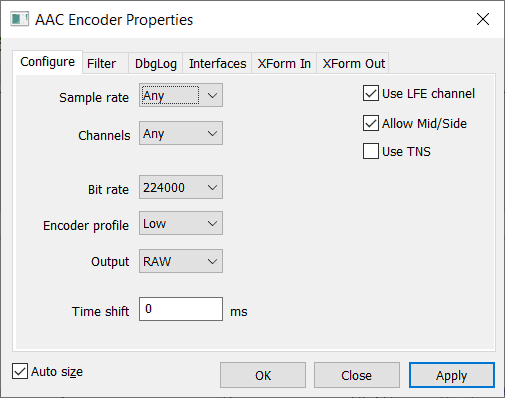
The property page provides a convenient way to configure the AAC codec without changing application code. It lets you review and adjust available encoding settings while you build or test a DirectShow graph.
Limitations of the free version of the filter
The free version follows the same limitation as other DirectShow filters: each process can create only one AAC codec instance. However, many applications need only one encoder instance. Therefore, the free version may be sufficient for projects that process one audio stream per process.
Download
| free x86 version | |
| free x64 version | |
| interface description file (aac.idl) |