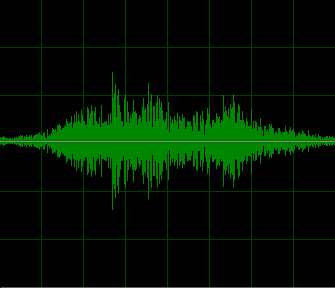
The Fader filter creates an audio visualization video stream from an uncompressed audio stream. First, the filter accepts an audio stream as input. Then, it passes the original audio through unchanged and creates a video stream that displays a sound-wave diagram.
The Fader filter derives from the CTransInPlaceFilter class. Therefore, it can pass the original audio stream without adding unnecessary processing overhead. The filter provides one input pin and two output pins. The first output pin carries the original audio stream, while the second output pin delivers the generated video stream.
You can use the property page or the filter interface methods to control colors and other visualization settings. However, the current version supports 32-bit builds only.
Input formats
The Fader filter accepts a 16-bit mono PCM audio stream.
| majortype | MEDIATYPE_Audio |
| subtype | MEDIASUBTYPE_PCM |
| formattype | FORMAT_WaveFormatEx |
| nChannels | 1 |
| wBitsPerSample | 16 |
Output format
The Fader filter provides two output pins. The first pin outputs the original audio stream. Meanwhile, the second pin outputs the generated video stream in VYU9 or RGB32 format.
You can select one of the following video resolutions:
- 672 × 576
- 762 × 576
In addition, the filter supports these scaling factors:
- 1/2
- 1/3
- 1/4
- 1/6
- 1/8
When you select a 1/x scaling factor, the filter reduces the image dimensions on the video output pin by a factor of x. For example, a 1/2 scaling factor produces an image with half the original width and height.
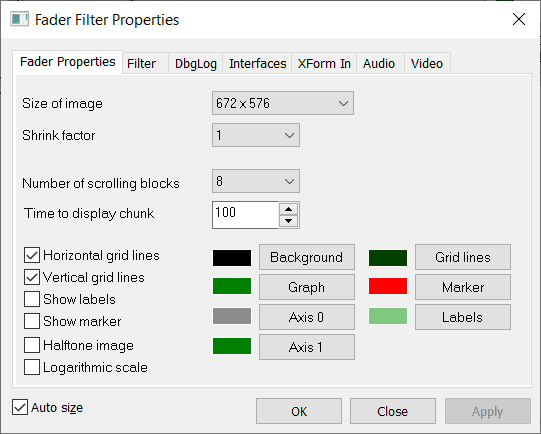
Property page
The property page lets you configure the appearance of the generated visualization. For example, you can change colors and adjust other video parameters without modifying the application code.
Limitations of the free version of the Fader filter
The free version allows each process to create only one Fader filter instance. This restriction matches the limitations of DirectShow filters from EFM Software Development.
However, many projects need only one filter instance per process. As a result, you may use the free version without purchasing the full version when your application does not require multiple instances.
Download
| free x86 version | |
| interface description file (Fader.idl) | |
| interface description file (XFormCtrl.idl) |